AI Gateway quickstart
Top up your AI balance, create an API key, try a model in the Playground, and call it from your code.
The AI Gateway gives you many AI models behind one key and one bill in Rupiah. It speaks the OpenAI and Anthropic formats, so the official SDKs and most tools work by changing the base URL.
Open your project and choose AI Gateway in the sidebar.
Your AI balance
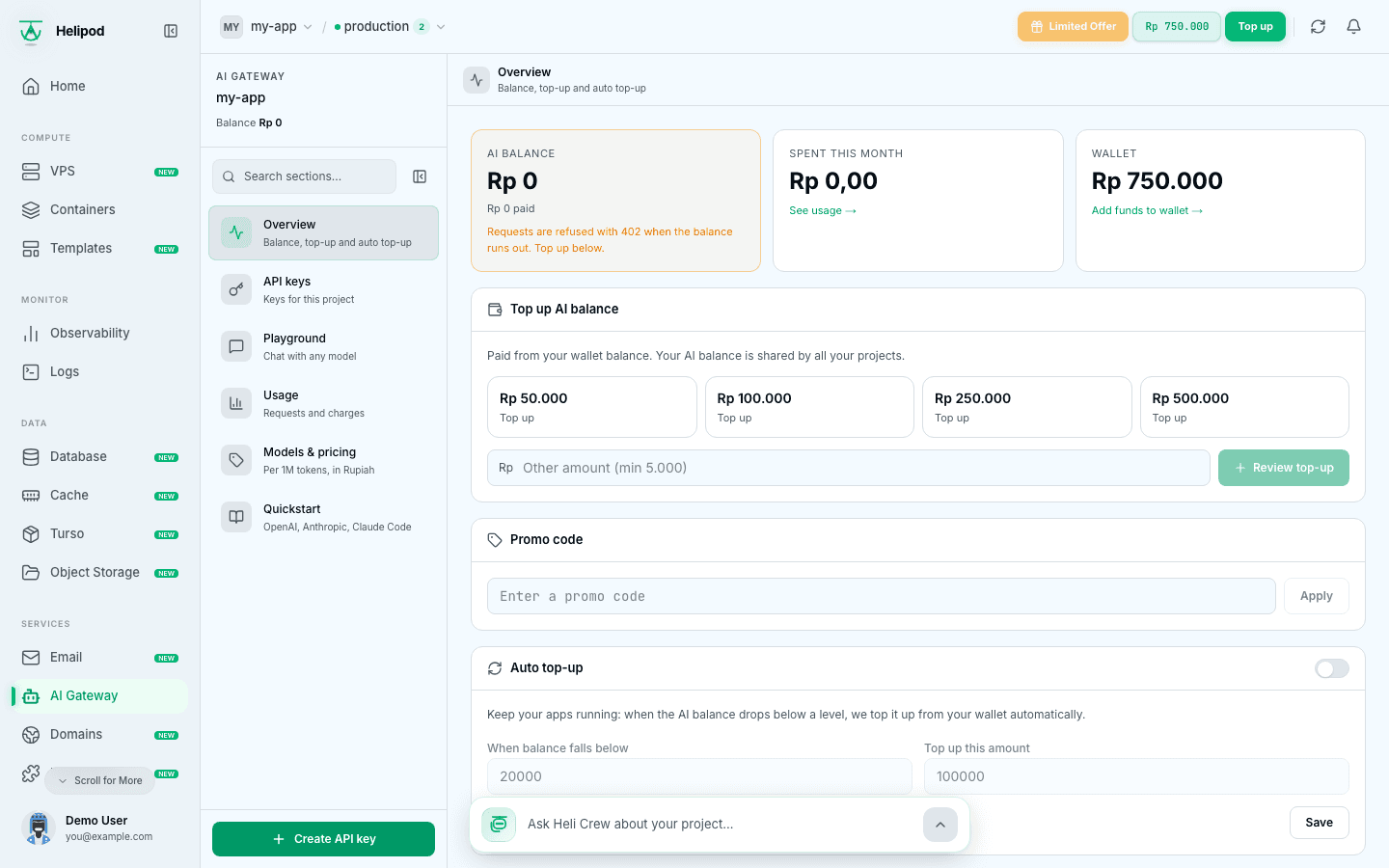
Overview shows your AI balance, what you Spent this month and your Wallet.
- The AI balance is separate from your wallet. Every request is paid from it.
- It is shared by all your projects.
- Money moved into it cannot be moved back to the wallet.
- When it runs out, requests are refused with
402.
Top up
Under Top up AI balance, click one of the preset packs (some come with bonus credit), or type an amount in Other amount and click Review top-up. The top-up is paid from your wallet; if the wallet is short, use Add funds to wallet first.
Review and pay
Review top-up shows what is Charged from wallet, any Bonus credit, what is Added to AI balance, and your AI balance and wallet before and after. Click Pay to confirm. Bonus credit is used before your paid balance.
Turn on auto top-up (recommended)
Under Auto top-up, switch it on, set When balance falls below and Top up this amount, and click Save. When the balance drops below that level, it is topped up from your wallet automatically, so your app keeps running. If the wallet is too low, the page tells you the last automatic top-up failed; add funds and it retries.
If you have a promo code, enter it under Promo code and click Apply. Only one promo code can be active at a time.
Create an API key
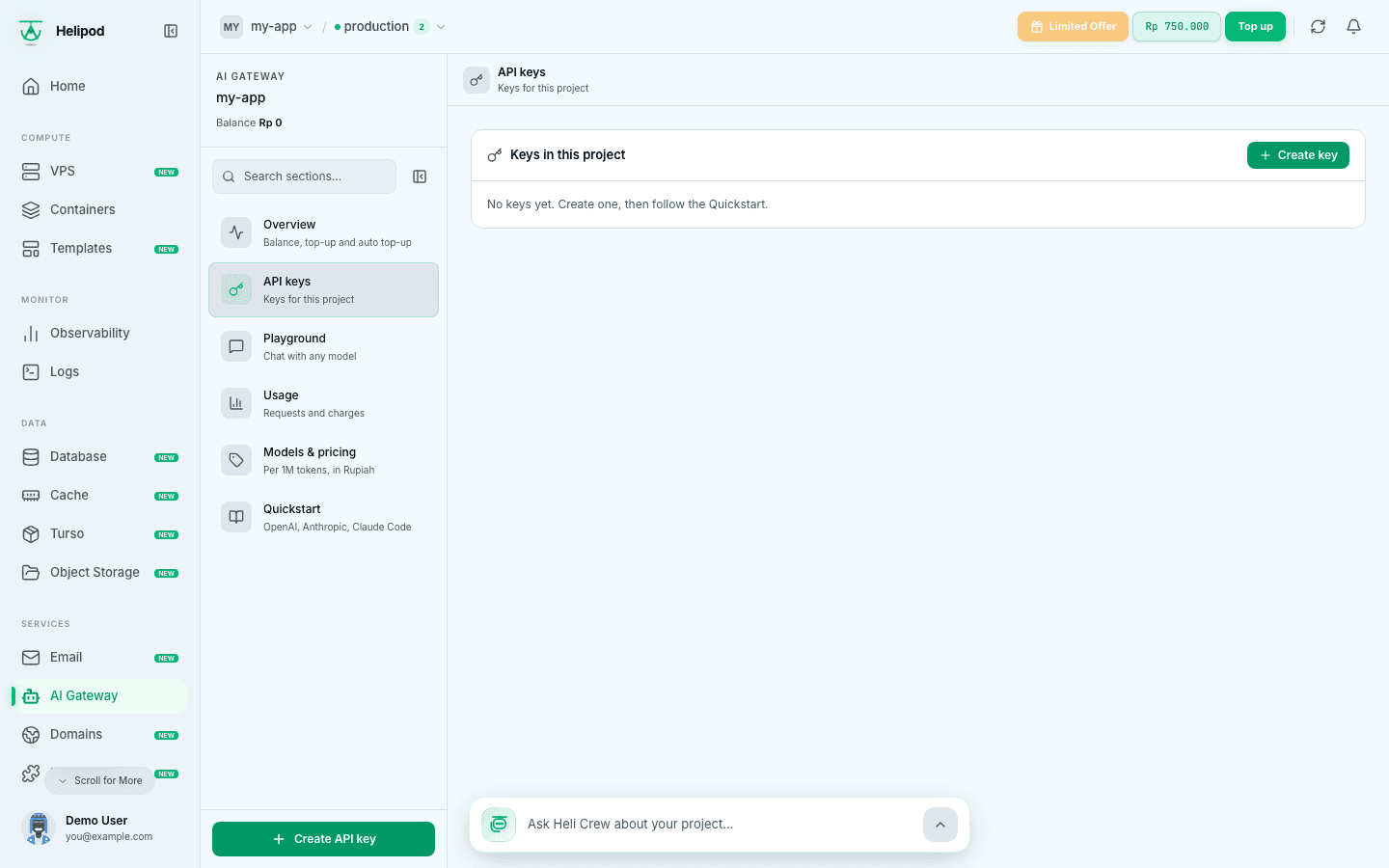
Open the dialog
Click Create API key at the bottom of the AI Gateway menu, or Create key under API keys.
Name it and set limits
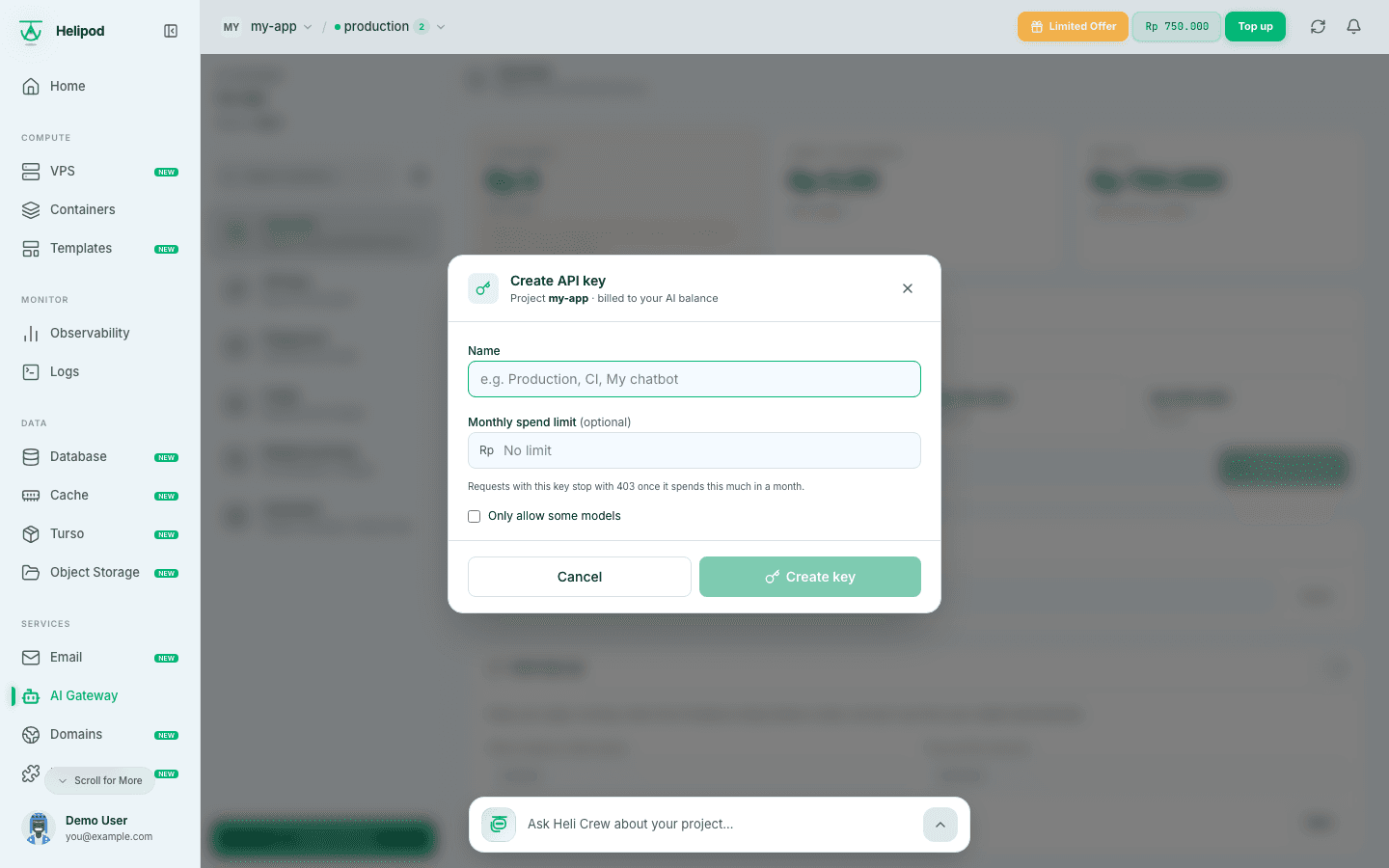
- Name: for example
Production,CIorMy chatbot. - Monthly spend limit (optional): requests with this key stop with
403once it spends this much in a month. Leave it empty for no limit. - Only allow some models: tick it and choose the models this key may use.
Click Create key.
Copy the key
Your new API key starts with hel_ai_. Copy it and store it as a secret, for example HELIPOD_AI_KEY. Anyone with it can spend your AI balance. You can show it again later from API keys; if it leaks, revoke it there.
Keys belong to the project they are created in, and every key is billed to your AI balance.
Try a model in the Playground
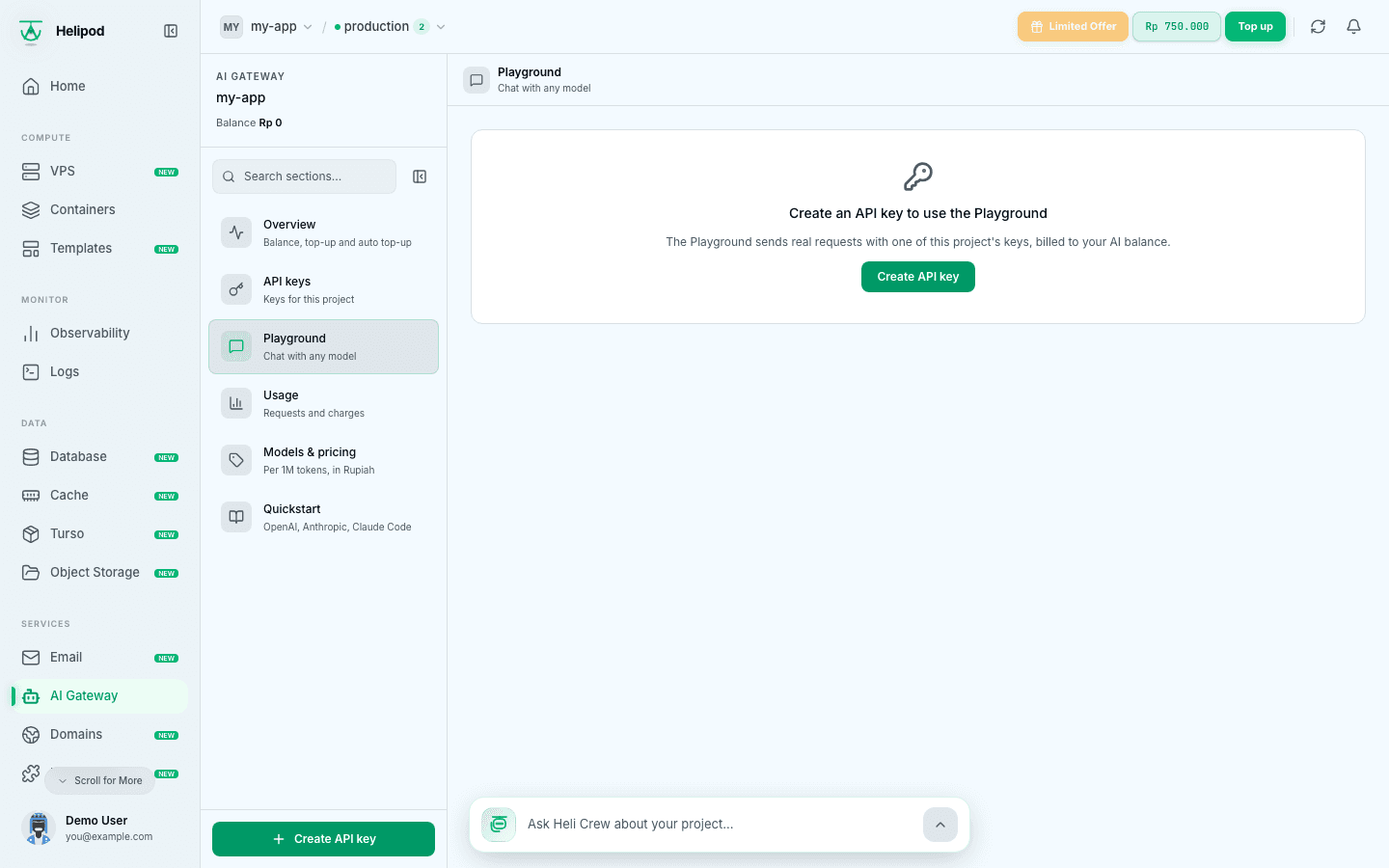
Open Playground, choose an API key and a Model, and start chatting. You can switch between the OpenAI and Anthropic formats, set a System prompt, and adjust Temperature and Max output tokens under Advanced. Vision models accept an attached image.
Every message is a real, billed request; the Playground shows the estimated cost of the chat so far. Chats are not saved on Helipod.
Models and pricing
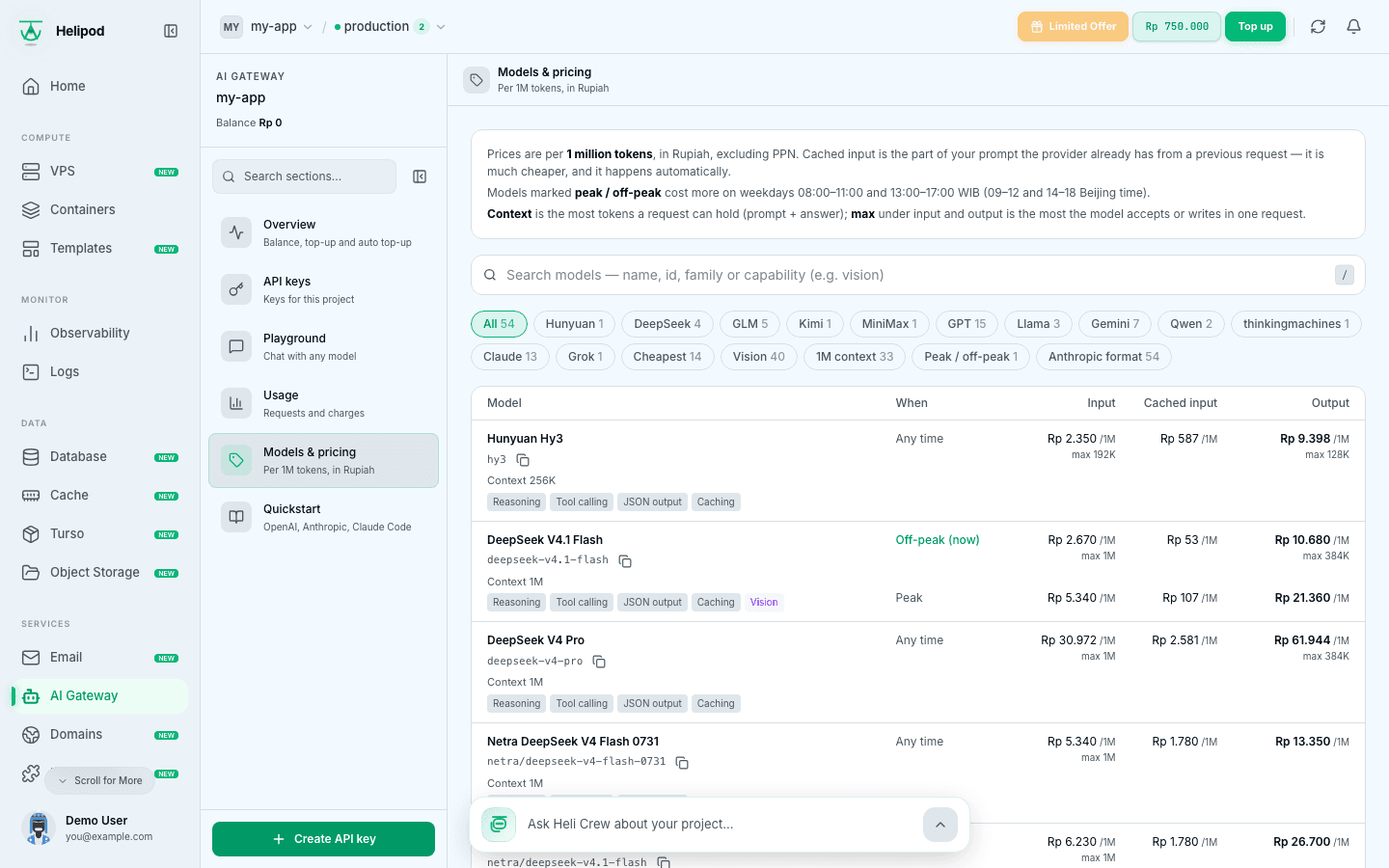
Models & pricing lists every model with its id, context size and prices per 1 million tokens in Rupiah, for input, cached input and output. Search by name, id or capability, or filter by Cheapest, Vision, 1M context, Peak / off-peak, On promo or Anthropic format.
Models marked peak / off-peak cost more on weekdays from 08:00 to 11:00 and from 13:00 to 17:00 WIB. Use the model id exactly as it is listed in your code and tools.
Usage
Usage shows this month per model (requests, input, cached and output tokens, and charge) and a list of Recent requests. Filter by key or model. Failed requests are never charged.
Call it from your code
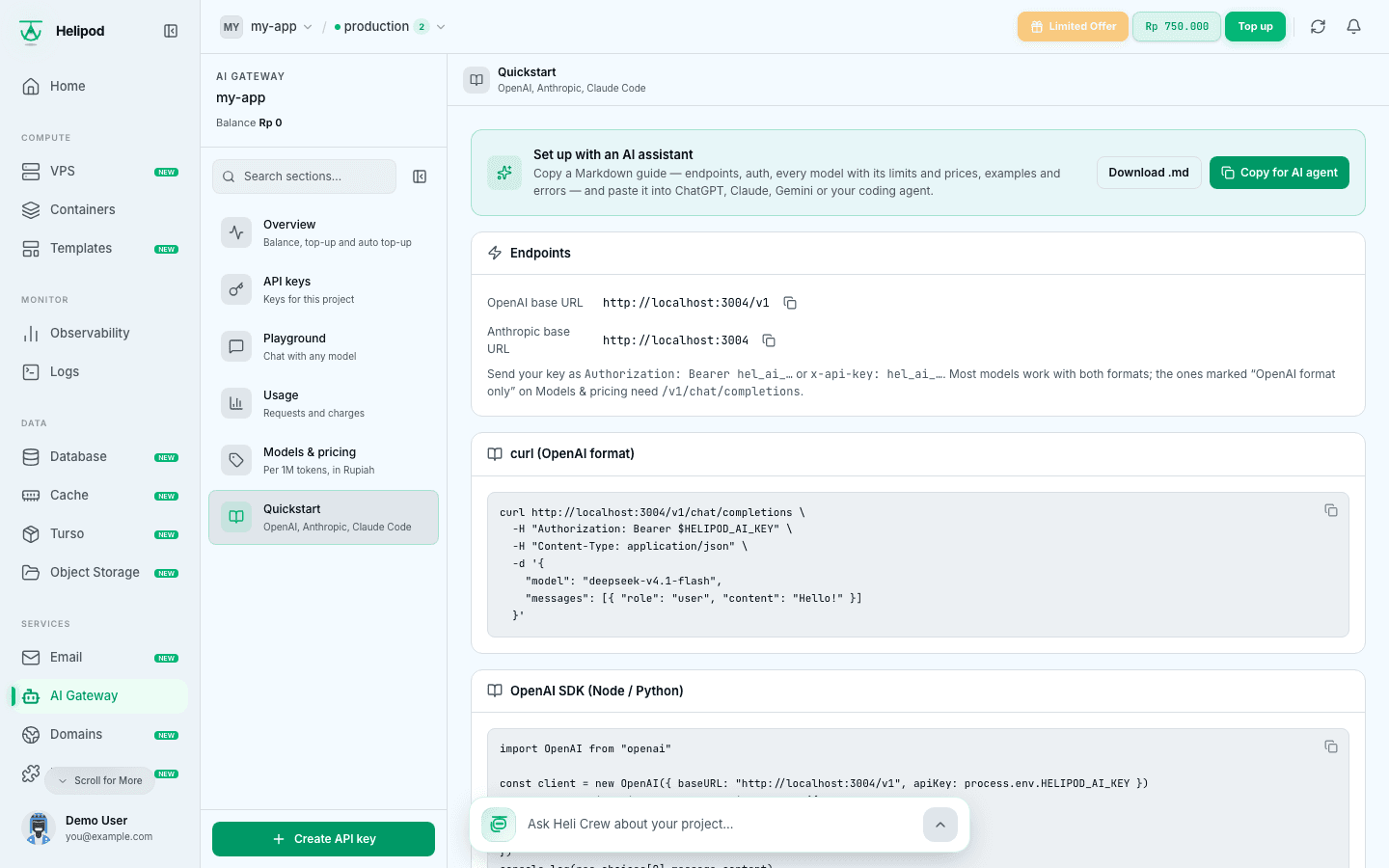
Quickstart has these samples ready with your base URLs, and a Set up with an AI assistant card that copies a full Markdown guide you can paste into an AI chat.
| Format | Base URL |
|---|---|
| OpenAI | https://ai.helipod.io/v1 |
| Anthropic | https://ai.helipod.io |
Send the key as Authorization: Bearer hel_ai_... or x-api-key: hel_ai_....
curl https://ai.helipod.io/v1/chat/completions \
  -H "Authorization: Bearer $HELIPOD_AI_KEY" \
  -H "Content-Type: application/json" \
  -d '{
    "model": "deepseek-v4.1-flash",
    "messages": [{ "role": "user", "content": "Hello!" }]
  }'
Call the gateway from your server, never from a browser or mobile app, so the key stays secret. Many models reason before answering and the reasoning counts toward max_tokens, so set it generously (2,000 or more) if answers come back empty.