Billing and top up
Understand your wallet and AI balance, top up, read invoices and history, and see how each product is billed.
Helipod is prepaid in Rupiah. This guide explains where your money sits, how to add more, where to find invoices, and when each product is charged. For the exact prices used by the API, see Billing.
Wallet and AI balance
You have two balances:
- Wallet: pays for containers, VPS, domains, email plans, team members, bundles and project transfers. It is shown in the top bar of every project. Plan credit in the wallet is used before your own deposit. Deposits never expire; credit with an end date shows that date in the history.
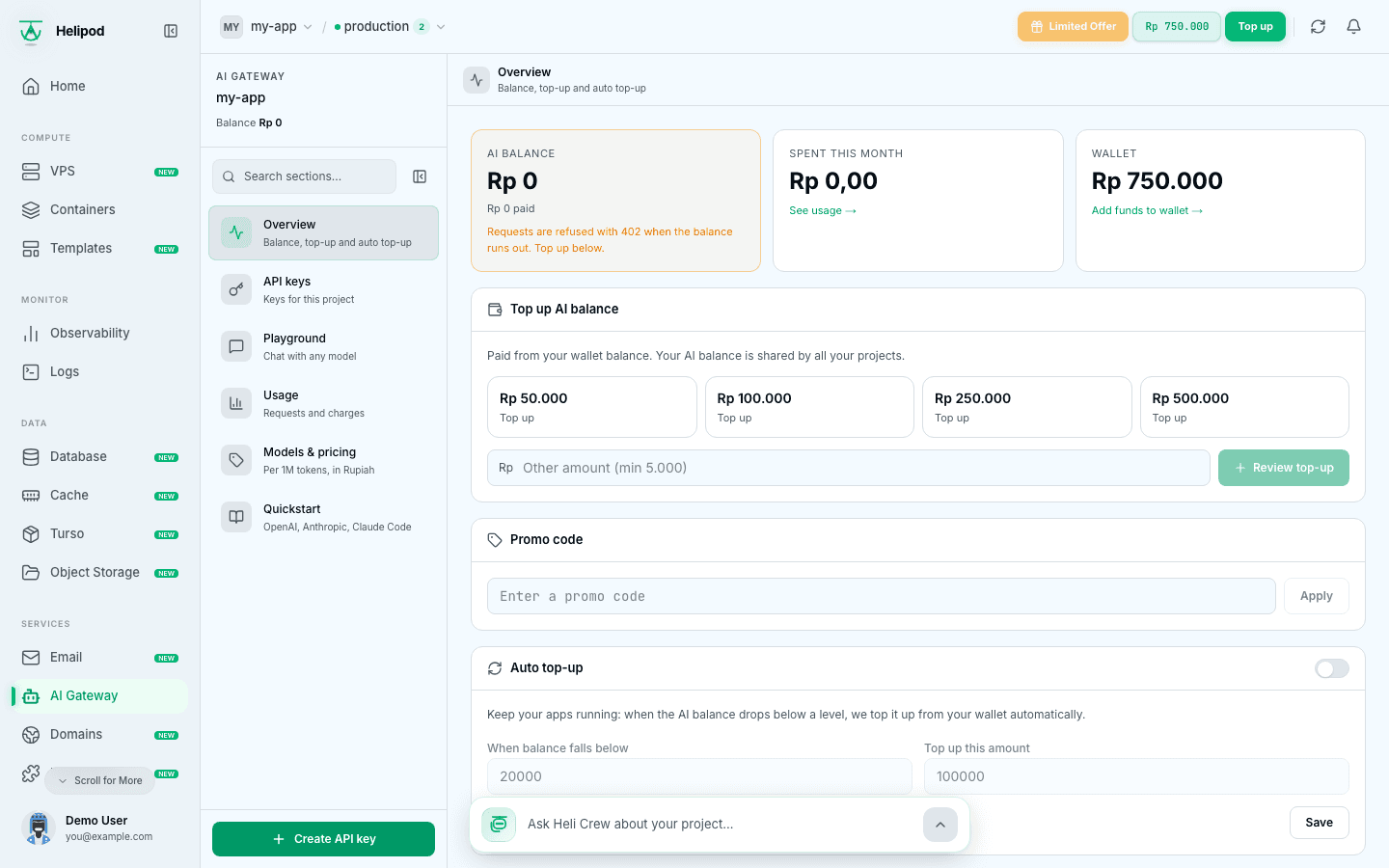
- AI balance: pays for the AI Gateway and Heli Crew. You fill it from your wallet in AI Gateway → Overview with Top up AI balance. It is shared by all your projects and cannot be moved back to the wallet.
Top up the wallet
Open Top up
Click Top up in the top bar, or on the Billing page.
Choose an amount
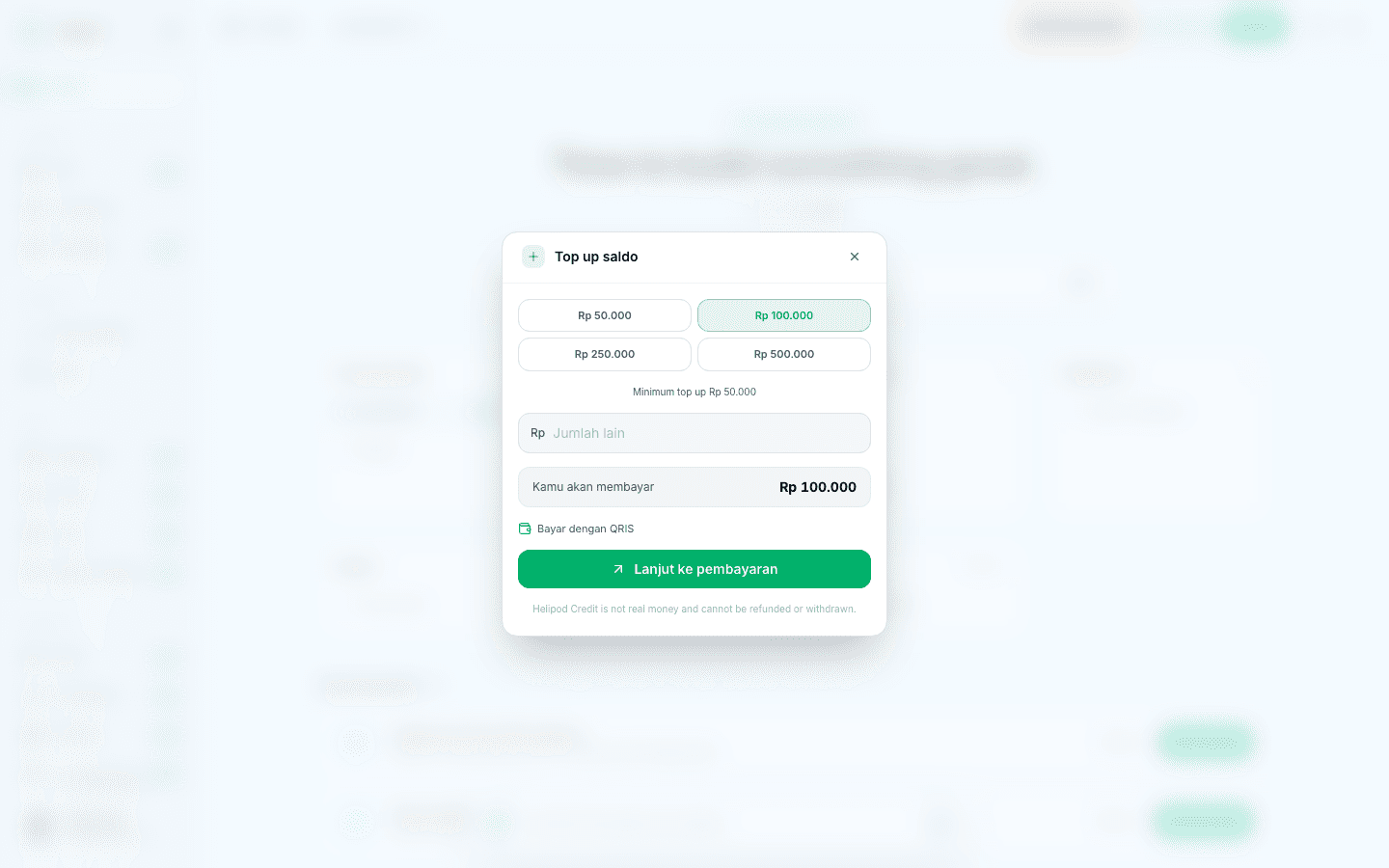
Pick Rp 50.000, Rp 100.000, Rp 250.000 or Rp 500.000, or type another amount. The minimum is Rp 50.000. The line under You will pay tells you which payment methods the payment page offers for this amount: QRIS (and e-wallets such as DANA when offered) for smaller amounts, QRIS or bank Virtual Account for medium amounts, and only bank Virtual Account for large amounts.
Pay
Click Proceed to payment. The payment page opens in a new tab. When the payment is done, the balance updates.
Helipod credit is not real money: it cannot be refunded or withdrawn.
The Billing page
Open Billing from the sidebar. At the top you see Total saldo (your wallet), Total masuk (money in) and Total terpakai (money spent). If a payment is waiting, a notice counts your pending payments.
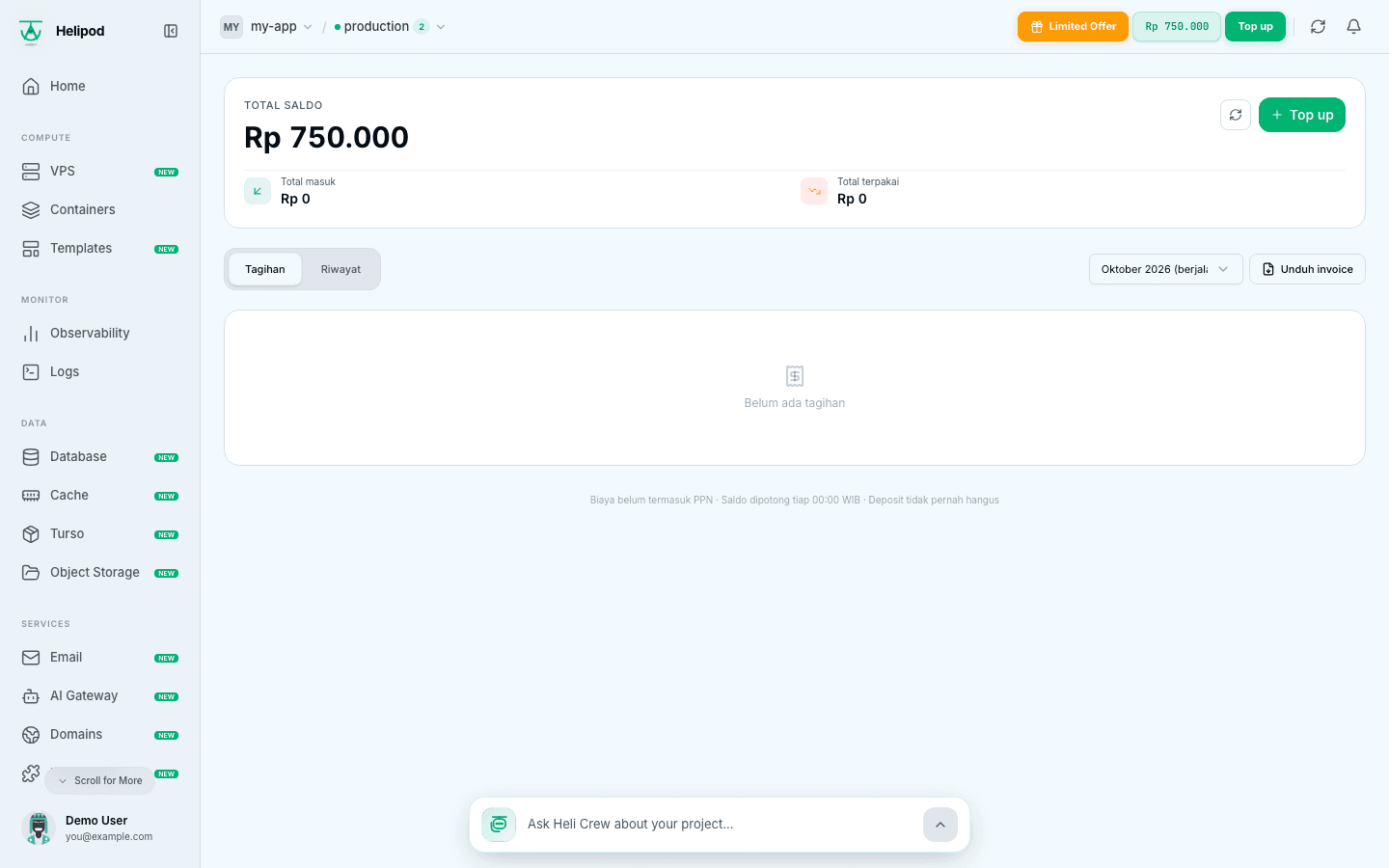
The Billing page uses Indonesian labels. It has two tabs.
Invoices (Tagihan)
Every payment you started, such as a top up, with its amount and status:
| Label in the UI | Meaning |
|---|---|
| Lunas | Paid. Use the download button on the row to get the invoice. |
| Pending | Waiting for payment. Click Bayar (Pay) to open the payment page again before it expires. |
| Kadaluarsa | Expired: the payment was not completed in time. Start a new top up. |
| Gagal | Failed. Start a new top up. |
You can also pick a month and click Unduh invoice to download the invoice for that month.
History (Riwayat)
Every movement of your wallet. Rows show a description; the types are:
- Deposit: a top up you paid.
- Pod billing: charges for your services and other purchases.
- Plan credit: credit from a plan, used before your deposit.
- Promo: promotional credit.
- Refund: money returned to your wallet, for example after a failed build.
- Adjustment: a correction made by Helipod.
Prices do not include VAT (PPN).
How each product is billed
- Containers: charged per day from the wallet, based on CPU, memory, storage and replicas. Deploying charges today's cost, and services renew every night. If the wallet cannot cover the renewal, services are suspended until you top up.
- VPS: prepaid for the period you choose (for example one month), then renewed at the end of the period.
- Domains: paid for the number of years you register or renew.
- Email: the email plan is paid from the wallet for its period.
- Team members: Rp 100.000 per member per month, see Team and projects.
- AI Gateway and Heli Crew: paid from the AI balance per request.
The dashboard always shows the price before you confirm a purchase.
Bundles (Limited Offer)
If you run several containers, a monthly bundle can cost less than paying per day. When you have no bundle, the top bar shows a Limited Offer button. Click it to compare the plans: each gives a set amount of vCPU, RAM and storage for your containers. Usage within the bundle is free, and you pay only for what goes over it.
When you confirm, the bundle is paid from your wallet; if the wallet is short, you are sent to the payment page. Once active, the top bar shows the bundle name and how much of it you use. Upgrades are prorated and start right away. Downgrades start when the current bundle ends and are not refunded.
Bonuses from VPS combos
Some VPS plans come with a free bonus, such as AI balance, a domain, an email plan, a database or backups. The bonus is shown when you choose the plan and period. After you buy, open Account Settings (from your profile menu) and go to the Bonus tab to see your bonuses and activate them.